AI-Driven Development with OpenSpec: A Step-by-Step Walkthrough
Building a budget tracker from proposal to archive, one artifact at a time
In my previous post, I introduced Spec Driven Development and the four-phase pipeline that keeps AI-generated code predictable and maintainable: Requirement, Design, Implementation, and Validation. I showed the commands and the theory. What I did not show is what it actually feels like to run through the full loop on a real project.
This post does that. We are going to build a local-first budget tracker deployable to web, iOS, and Android using the OPSX workflow. Every command, every artifact, and every decision point is covered. By the end, you will have a repeatable mental model for how OpenSpec structures a project from first idea to archived change.
If you have not read the previous post, I recommend starting there. This one picks up where it left off.
A Quick Recap: What OpenSpec Enforces
Before we dive in, a one-paragraph reminder of why this matters.
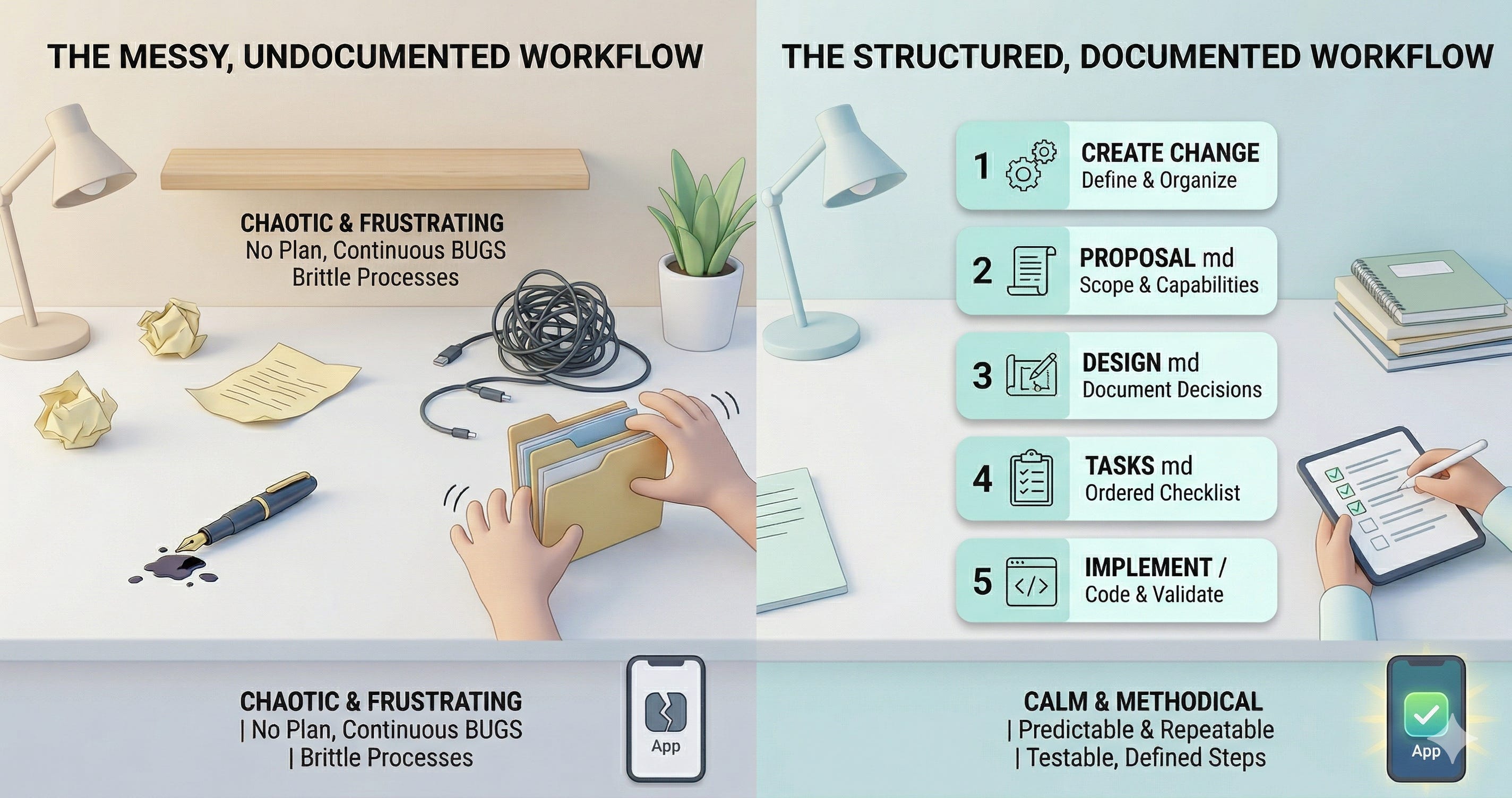
OpenSpec does not let you skip ahead. Every change follows a schema, which is a dependency graph of artifacts that must be created in order. The default schema is spec-driven, and it produces four artifacts: a proposal, a design, specs, and a tasks list. Each one unlocks the next. You cannot write tasks until you have a design. You cannot write a design until you have a proposal. The order is the point. It mirrors a traditional SE pipeline and makes it impossible to skip the thinking phase.
The Project: A Local-First Budget Tracker
Here is the brief:
Cross-platform (web, iOS, Android) from a single codebase
Users can set budget categories and sub-categories, each with a monthly value
Users can log daily spending and tag it to a category
Monthly reports show spending vs. budget and net savings
All data is stored locally with no backend and no accounts
Simple enough to build in a session. Complex enough to have real architectural decisions worth documenting.
Let’s run it.
Step 1: Create the Change
Everything starts with one command inside Claude Code:
Command: /opsx:new
What happens: Claude Code prompts you to describe what you want to build. You give it the brief above. It derives a kebab-case change name, creates the scaffolded change directory at openspec/changes/budget-tracker-app/, and shows you the artifact status:
Change: budget-tracker-app
Schema: spec-driven
Progress: 0/4 artifacts complete
[ ] proposal
[-] design (blocked by: proposal)
[-] specs (blocked by: proposal)
[-] tasks (blocked by: design, specs)
Only proposal is ready. Everything else is locked. This is intentional. OpenSpec will not let you jump to tasks or design until the proposal establishes what you are actually building.
Step 2: The Proposal — Define the Why and the What
The proposal is not a spec. It does not describe how anything works. It answers two questions: why does this change exist? and what capabilities does it introduce?
Command: /opsx:continue
What happens: Claude Code reads the proposal template, asks for context if needed, and drafts proposal.md. The most important section is Capabilities. Each capability you list here will become a spec file later. For the budget tracker, three capabilities are named:
budget-categories: creating, editing, and deleting categories and sub-categories with monthly budget valuesspending-entry: logging transactions with an amount, date, description, and category tagmonthly-reports: monthly summaries with per-category breakdowns and past-month navigation
This list is the contract between the proposal and the specs phase. If a capability is missing here, it will not have a spec. If it does not have a spec, it will not have tasks. If it does not have tasks, it will not get built.
The proposal also captures non-obvious scope decisions before they become arguments mid-implementation:
No income tracking. Savings = total budgeted minus total spent.
Sub-categories are one level deep only. No nesting beyond that.
No cloud sync. No accounts. Local storage only.
These decisions belong in the proposal, not in a comment thread on a pull request.
After proposal.md is written, status updates:
[x] proposal
[ ] design
[ ] specs
[-] tasks (blocked by: design, specs)
Design and specs are now both unlocked
Step 3: The Design — Capture Technical Decisions Before You Code
The design answers: how will we build this, and why these choices over the alternatives?
Command: /opsx:continue
What happens: Claude Code drafts design.md using the proposal as input. The key section is Decisions, where each technical choice is documented with its rationale and the alternatives that were considered.
The design also surfaces Open Questions, which are decisions that cannot be resolved yet:
Should sub-categories be allowed their own monthly budget value, or always inherit from the parent?
Should Reports let users navigate to past months in v1?
These questions do not block the design. They are written down explicitly so the specs phase can answer them. Without the design document, these questions would surface as bugs or late-stage rework.
Step 4: The Specs — Define Requirements as Testable Scenarios
Specs are the most technically specific artifact in the chain. Each spec file covers one capability and defines its requirements using a strict format: requirements use SHALL/MUST language, and every requirement has at least one testable scenario.
Command: /opsx:continue
What happens: Claude Code reads the proposal (to find the capability names) and the design (for architectural context), then writes one spec file per capability:
openspec/changes/budget-tracker-app/specs/budget-categories/spec.md
openspec/changes/budget-tracker-app/specs/spending-entry/spec.md
openspec/changes/budget-tracker-app/specs/monthly-reports/spec.md
Here is an example from the spending-entry spec:
### Requirement: User can select a sub-category when logging an entry
The system SHALL allow the user to tag an entry directly to a sub-category
rather than a top-level category. The entry SHALL be attributed to that
sub-category in reports, and the sub-category's spending SHALL roll up
to the parent category total.
#### Scenario: Entry tagged to sub-category rolls up in reports
- **WHEN** an entry is tagged to a sub-category
- **THEN** the entry amount is included in both the sub-category total
and the parent category total in monthly reportsThe open questions from the design get resolved here, not in the code. Sub-categories get their own optional budget value. Past-month navigation is supported in v1. These decisions are now in the spec, which means they will be in the task list, which means they will be in the implementation.
Each scenario is also a future test case. When we write reportCalculations.ts in the implementation phase, every test in the file maps directly to a scenario written here. The tests do not have to be invented. They are already specified.
Step 5: The Task List — Break It Down Before You Build It
With the design and all three specs complete, the task list can be generated.
Command: /opsx:continue
What happens: Claude Code reads all previous artifacts and produces tasks.md, a checkable implementation list organized into numbered groups. Every task uses the - [ ] X.Y description format that the apply phase tracks.
The 43 tasks fall into 8 groups:
Project Setup
Data Layer (Types and StorageService)
State Management (Contexts and Reducers)
Navigation Shell
Budget Categories Screen
Spending Entry Screen
Monthly Reports Screen
Polish and Cross-Platform Verification
The task granularity comes directly from the specs. Spec requirement: “Deleting a top-level category SHALL also delete all its sub-categories.” The corresponding task: “5.6 Add delete action: show confirmation dialog; if linked entries exist, display count and require explicit confirmation; delete sub-categories when parent is deleted.”
There is no ambiguity about what done means. The spec says what the system must do. The task says exactly what to implement. They are aligned because they were created from the same source of truth.
Step 6: Implementation
Four artifacts complete. Time to build.
Command: /opsx:apply
What happens: Claude Code reads all context files and works through the task list from top to bottom, marking each task [x] as it completes it. It scaffolds the Expo project, installs dependencies, builds the StorageService, wires up contexts, creates the navigation shell, and implements all three screens.
Two things stood out during this phase:
The specs prevented a silent bug. The monthly-reports spec required sub-category spending to roll up to the parent total. Without that requirement explicitly written, the report calculator might have aggregated only at the top-level category. The spec made it impossible to miss. The getMonthlyTotals function handled the roll-up correctly on the first write.
The unit tests wrote themselves. Because every spec scenario had a named input and expected output, the test file for reportCalculations.ts was a direct translation of the spec into code:
✓ returns zeros for a month with no entries
✓ sub-category spending rolls up to parent total
✓ unbudgeted sub-category spending still rolls up to parent
✓ over-budget category has negative remaining
✓ net savings is negative when total spent exceeds total budgeted
✓ only includes entries from the specified month
✓ categories with no entries show zero spent
Seven tests. All green. All derived from scenarios that were written before a single line of application code existed
Step 7: Archive
Manual verification complete. The app runs on web, iOS, and Android, data persists across restarts, and the web export compiles cleanly. Time to close the loop.
Command: /opsx:archive
What happens: OpenSpec moves the change directory to openspec/changes/archive/ and syncs the delta specs into the main spec library:
openspec/specs/budget-categories/spec.md
openspec/specs/spending-entry/spec.md
openspec/specs/monthly-reports/spec.md
These become the living baseline for the project. The next change (adding export, adding recurring entries, adding a data backup flow) will find these specs already there. Future changes that touch budget categories or spending entries will modify them as delta specs, and the archive step will merge those changes back in.
The spec library grows with the product. Every change adds to it. Every future agent working on this codebase has a complete, current source of truth to work from.
The Full Loop, Compressed
Here is every step in sequence:
1. Create the change
Command: /opsx:new
Artifact: none (scaffolding only)
Purpose: Name the change and initialize the artifact graph
2. Write the proposal
Command: /opsx:continue
Artifact: proposal.md
Purpose: Establish why, what capabilities, and what is out of scope
3. Write the design
Command: /opsx:continue
Artifact: design.md
Purpose: Document technical decisions and alternatives considered
4. Write the specs
Command: /opsx:continue
Artifact: specs/**/*.md (one file per capability)
Purpose: Define what the system must do, with testable scenarios
5. Write the task list
Command: /opsx:continue
Artifact: tasks.md
Purpose: Break implementation into a checkable, ordered list
6. Implement
Command: /opsx:apply
Artifact: code
Purpose: Build in order, check off tasks as each one is complete
7. Archive
Command: /opsx:archive
Artifact: archived change + synced main specs
Purpose: Close the loop and merge delta specs into the project baseline
Why This Matters for Agentic Development
As I argued in the previous post: the faster AI agents can write code, the more damage a missing requirement does. A human engineer who misunderstands a spec writes a wrong function. An agent that misunderstands a spec writes an entire wrong module, with tests that validate the wrong behavior, in under a minute.
OpenSpec slows you down for 5 minutes at the start of every change. In exchange, you get alignment before the code exists, not after. You get a spec library that accumulates across every feature. You get test cases that were written before the implementation. And you get a design document that explains why the code is the way it is, which is the thing that is always missing when you inherit a codebase six months later.
That is the trade. It is a good one.
Have you tried OpenSpec on a project? I would love to hear what the workflow uncovered for you. Leave a comment below.